FAQ
Could you explain where Dialog Deck operates?
Dialog Deck transcends four platforms – Virtual Reality(Meta), Mixed Reality(HoloLens), Augmented Reality(ARCore + ARKit in Smart phones) and Modern HTML 5 Browsers
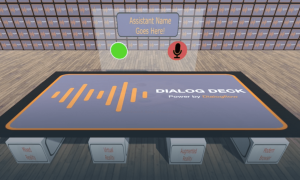
Dialog Deck uses Dialogflow for the Conversation AI. Dialog Requires only a Microphone and a Speaker to provide Ubiquitous navigation and interaction.
Could the AR and Browser Voice Assistant be used in other verticals other than Commerce?
Yes. Education, Travel and Tourism, Live Events/Parks… would all be available market segments.
Could the AR Assistant be implemented in Mixed Reality systems like Magic Leap or HoloLens?
Yes. Technically not that challenging of a issue. We need to determine if there enough business to warrant the productization work.
Would the AR Voice Assistant operate in a VR head set?
Yes. It might more look like more like the Browser 3D assistant meaning Avatar, additional in put controls, …. . There would be productization and packaging issues but nothing that cannot be overcome.
Does the AR and Browser Voice Assistant support Multi-player?
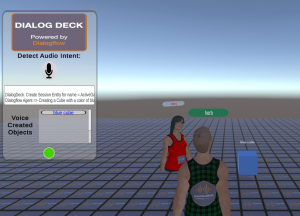
Yes and Not yet. Browser Voice Assistant is a yes today. So you can show and walk around a store and see other people doing the same. AR assistant is not available today. We are told this will happen soon. Once AR Assistant is good we will make the two worlds work together which will be awesome. Mixed Domains Collaboration. See below is the Browser Voice Assistant in Multi-player mode.
What is the difference between your DF console and Dialogflow’s Console?
There are two major differences our DF Console is in Unity and Dialogflow’s console is written for a browser. Additionally, our DF Console is written at a lower level similar to how the API’s operate. So if you are a developer, our DF console will naturally fit how you think about the API’s Session IDs, Entity/Intent IDs,….. . The Dialogflow Console is written for ease of use and to serve people that are not coding with Dialogflow.
What does the architecture of the dfassistants.com look like?
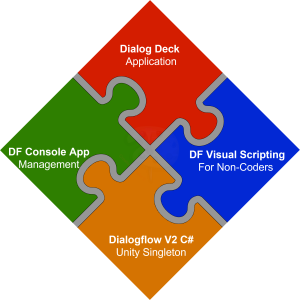
Dialog Deck is built on top of three important pieces:
DF Visual Scripting for Non-Coders – This solution enables “non” programmers such as Artists and Designers to “wire up” a conversational app.
DF Console Management – This is a Unity application that provides features like the Dialogflow console, but with a significantly deeper level of control.
Dialogflow C# Singleton – This is the Underlying API that directly interacts with the Dialogflow/Google
How do you see Visual Scripting working with Voice Create Objects?
The short answer is Voice Custom Controls. We provide a number of built-in controls – like move, rotate, orbit, delete,select,…. . If someone wanted to add a custom control like let’s say: “dance”. You would add a visual script that manipulated the Transform to perform a “dance” to the Voice Create Object. Additionally, you would add to the DialogDeckActions entitie – the entity of “Dance” and any synonym of Dance that you want to use like “Perform”, “Boogie”,… .
Is there some demonstration of the Voice Create Objects Motion Commands?
Yes. This is Video demonstrations of the Move and Rotate commands. There are other Motion Commands outlined in the documentation.